

Pipelines
Pipelines is an enterprise-grade, asynchronous batch service that ingests large volumes of sensitive data directly into your vault, tokenizes or detokenizes files at scale, and works seamlessly with Skyflow’s de-identification to bulk de-identify sensitive data.
Pipelines automates secure high-volume data transfers and transformations while preserving privacy and without exposing any of this to your backend infrastructure.
Features
Section titled “Features”When you develop a pipeline, you can tailor the workflow with the following features:
- Sources and destinations: Pipelines acts on files and can connect to S3 buckets, FTPS servers, SFTP servers, and vault file columns to retrieve files for processing.
- Formats: Pipelines support CSV, TSV, PSV, JSON, Metro 2, ACH, and Parquet file formats out of the box.
- Mappings: The content from each of these files can then be mapped into columns in your vault.
- Actions: Various actions like Import, Update, Tokenize, Detokenize, De-identify, Transfer, Export are supported depending on the use case.
- Triggers: Pipelines can be triggered via an API call today. Additional support for different invocations coming soon.
Additionally, pipelines support the following:
- Bring Your Own Tokens (BYOT) for migrating existing tokens
- Token reports
- Error reports
- PGP key encryption
Pipeline actions
Section titled “Pipeline actions”Actions determine how the pipeline processes data in your workflow. You can take the following actions:
| Action | Description |
|---|---|
| None_Protocol | Serves as a default or null protocol state when configuring an action or encryptionProtocol. You can set this value for encryption keys, pipeline creation and configuration, and destination mappings. |
| Import | Inserts data and creates Skyflow IDs for each record. Before you create the pipeline and use the import action, you must configure a column with a uniqueness constraint (primary key) in your vault. The primary key maps to a field in the source file containing unique values to track the migration of the records. Supported Data Formats : CSV, TSV, PSV, JSON, ACH, Fixed Width |
| Update | Updates data in existing records in the vault. You would need to provide a skyflow_id field in the source file. Supported Data Formats : CSV, TSV, PSV |
| Tokenize | Returns a file that has sensitive data replaced by tokens. When you create a pipeline and define the tokenize action, you can choose the destination datastore for storing the file with the tokenized PII. Supported Data Formats : CSV, TSV, PSV, JSON, ACH, Fixed Width, Parquet |
| Detokenize | Accepts a source file containing tokens and replaces them with plain-text data. When you create a pipeline and define the detokenize action, you can choose the destination datastore for storing the file with the detokenized PII. Supported Data Formats : CSV, TSV, PSV, JSON, Metro 2, ACH, Fixed Width, Parquet |
| De-identify | Accepts source file containing sensitive information and de-identifies text, audio and other files and drops the de-identified files in an destination datastore. Supported Data Formats : Audio, Text, CSV, TSV, PSV |
| Transfer | Securely move all of the files from the source datastore to a destination datastore without processing them. Supported Data Formats : Any |
| Export | Export the contents of the vault/table/columns in an encrypted CSV. Since this contains sensitive information, Skyflow is obligated to process this in a compliant manner. Please reach out to Skyflow Support when you want to run this action. |
PGP keys
Section titled “PGP keys”Sometimes, you might want to encrypt your payload before uploading it to your FTP server. In these instances, pipelines support creation of PGP keys to decrypt the files before the migration. You must have the Vault Owner, Account Admin or Pipeline Manager role to generate a PGP key. In addition to creating PGP Keys, Pipelines also supports SSH_RSA protocol as well for securing access to SFTP servers.
Reports
Section titled “Reports”After a pipeline runs, it generates reports about the run, which you can access via Studio or the Get Pipeline Run and List Pipeline Runs operations. Reports are available for 7 days after the run.
You can calculate the total number of records processed by the pipeline run by totaling the number of records across all the reports.
Token reports
Section titled “Token reports”Token reports contain a primary key in the source file that maps to the corresponding Skyflow IDs of the records you insert into the vault and the corresponding vault table.
Import and tokenize reports
Section titled “Import and tokenize reports”After a pipeline runs, it generates a report about the run. These reports contain a primary key in the source file that maps to the corresponding Skyflow IDs of the records you insert into the vault and the corresponding vault table.
| skyflow_id | primary_key | table_name |
|---|---|---|
| a7ef9265-45a9-4947-a153-0e7497418e60 | 322eba29-4d90-45ea-9f46-07352aaaaccc | card_data |
| 5be9dd93-7f34-4400-ad32-4a64b8f6d9ed | 758eb317-8bd5-48c1-913b-195d29e23a4a | card_data |
| 983cacbb-7ad1-4087-b0cb-99275e3773e0 | c95e471f-0f70-4c26-ac50-9ad21a805f4f | card_data |
| b4d08c58-614d-4308-8581-69e9a0d0cc4d | 81ea0b08-da3d-4c2f-a090-4e65748c80bb | card_data |
| 4d03e925-04f9-4553-a9ab-b92bc43393ab | 0294f07e-7617-4bbd-97c2-cd57b0aad819 | card_data |
| 57a3a2f4-b0d5-404e-8fc1-62de3ddd1167 | 9006e1a9-820c-443e-982c-43d024b4874c | card_data |
| 9006e1a9-820c-443e-982c-43d024b4874c | card_data | |
| b07cdaf3-cc10-41e1-b2a8-41f4aba0f075 | 6b76844b-ca93-493a-9dcb-5b5cc765c11f | card_data |
A sample import report.
If you select the tokenization action, the tokens.csv report also contains token values corresponding to the column names.
| skyflow_id | primary_key | table_name | card_expiration_year | card_number |
|---|---|---|---|---|
| 1a0371b9-27ad-4f2e-a3e025debd79 | card_165PkfON7EQ0Owsy3Q | cards | bc75b272-0e98-4efc-6caae31532b5 | |
| 3ea0020c-f350-42d5-8c3de4043376 | card_165PkfON7EQ0Owsy3Q | expirations | f7efedd3-c0da-4d9f-abc07ac1848a | |
| b9bfd0cc-b779-4679-80df6454e80b | card_165PkfON7EzGiGLo9c | cards | 56d6a66f-48d5-4e1d-671ac8b1046c | |
| 34e44b9f-b5bf-4f4d-3667dca11d32 | card_165PkfON7EzGiGLo9c | expirations | 34a929b0-cde3-4830-df1c5a367c93 | |
| 852954a5-1f28-4a09-faaf4662041f | card_165PkfON7E7ZHA0keF | cards | cdf694df-97d5-4286-e9990e089f09 | |
| e3a4ddce-c4b8-45c1-d904b1354fa1 | card_165PkfON7E7ZHA0keF | expirations | 38d4e569-8b3d-4815-75114acab10a | |
| 592b10eb-a6b5-4a94-52f025fe3415 | card_165PkfON7E6pXEeoyZ | expirations | 429c7b18-d8c3-414f-39221c036f0e |
A sample tokenization report.
Token reports have a limit of 100,000 records. If you have more than 100,000 records, the pipeline run returns multiple report files.
Error reports
Section titled “Error reports”For every pipeline run, Skyflow generates error reports even if errors didn’t occur:
- parser-errors.csv reports records that the pipeline couldn’t parse and therefore didn’t attempt to insert into the vault. This can happen if the source file has an invalid format.
- vault-errors.csv contains records that failed to insert into the vault and the associated error.
Use cases
Section titled “Use cases”You can use pipelines to
-
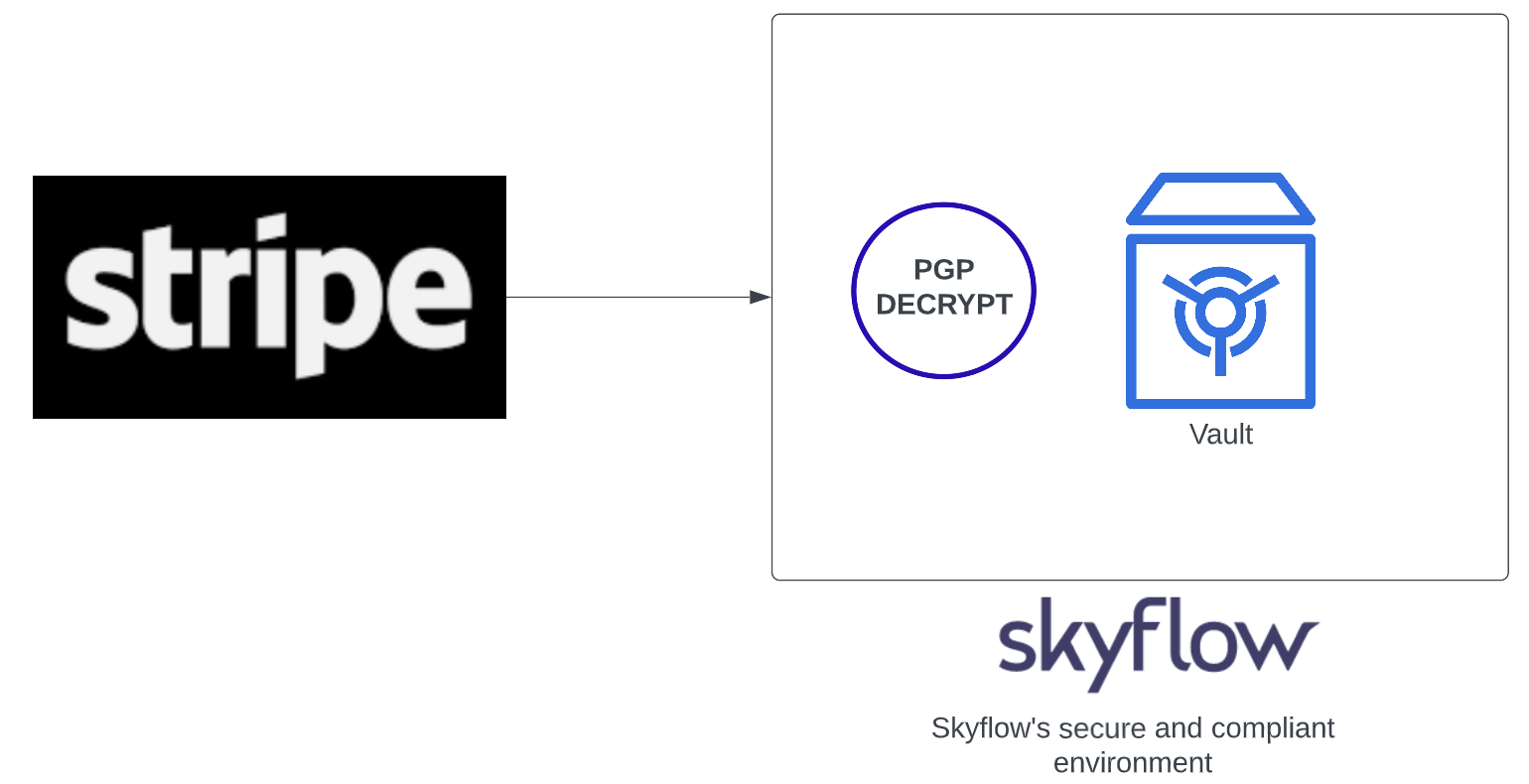
Migrate data to a vault. Pipelines can migrate millions of records from a source system into a vault. For instance, you can use pipelines to migrate PCI data from a single payments service, like Stripe, and avoid vendor lock-in in a PCI-compliant manner. During migration, your pipeline pulls all the data from the source system into your vault without exposing your infrastructure to sensitive data.
-
Work with financial institutions. You can use Pipelines to securely handle sensitive files like Metro 2 and ACH files that are generated and consumed by banks, credit bureaus etc.
-
Securely de-identify files. You can use Pipelines to de-identify training data on a large scale. See De-identify training data
-
Process files stored in a vault. You can use Pipelines to process files already stored in a vault table column. This lets you run pipeline operations like import or tokenize on files that have been uploaded to the vault, referencing them by their Skyflow IDs.
Next steps
Section titled “Next steps”Learn how to create a pipeline, explore functions, or assign a role across resources.